Title here
Summary here
 Tiny (1-2 minutes)
TLDR - What this guide covers
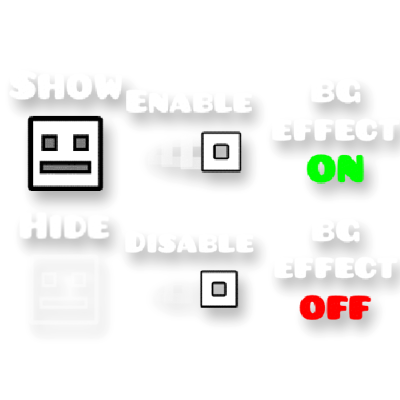
The Show/Hide Player triggers are the 24th and 25th triggers in the triggers page. Their appearance consists of an icon with the words “show” or “hide” above it.
The Hide Player trigger makes the player icon invisible during gameplay.
The Show Player trigger makes the player icon visible after it is hidden. This state is the default for all levels.
The
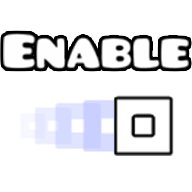
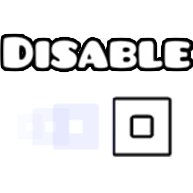 Show/Hide Player Trail triggers are the 22nd and 23rd triggers in the triggers page. Their appearance consists of an icon with a trail behind it with the words “disable” or “enable” above it.
The Show Player Trail trigger makes a trail of afterimages that follows the player. This trail cannot be seen in the editor and can only be viewed in normal gameplay.
The Hide Player Trail trigger makes the trail invisible. This state is the default for all levels.
The BG Effect On/Off triggers are the 26th and 27th triggers in the triggers page. Their appearance consists of the words “BG Effect ON/OFF”.
The BG Effect On trigger makes the BG Effect visible. This can only be seen during normal gameplay. This effect shows particles that fly around when you are in the Ship, UFO, and Wave game modes. This is the default state of all levels.
The BG Effect Off trigger disables this effect.
 .
.